
Claude Code Best Practices for Teams, From Our Assessors
Nine Claude Code best practices for engineering teams, from framing the task to reviewing the diff and staying accountable, grounded in Anthropic's docs.
October 9, 2026 · 9 min read

Most Claude Code advice is written for one developer getting more out of the tool. This guide is for teams. It follows the same things our assessors check when an engineer directs Claude Code through a real task: how the task was framed, whether the change stayed in scope, what was verified, which permissions were set, and whether the engineer can explain the result. Each practice is grounded in Anthropic's own Claude Code best practices.
Claude Code best practices for teams
- Frame the task before you hand it over
- Explore and plan before anything changes
- Give Claude a way to check its own work
- Keep project rules short, shared and in git
- Set permissions before it runs unattended
- Review the real diff for scope creep
- Check the usual security failure modes
- Manage context and course-correct early
- Stay accountable for every change
1. Frame the task before you hand it over
Anthropic's guidance is blunt: "The more precise your instructions, the fewer corrections you'll need." Name the files involved, the constraint that matters, an existing pattern to follow, and what "done" looks like. "Fix the login bug" invites guesswork. "Login fails after session timeout; check the token refresh in src/auth/, write a failing test that reproduces it, then fix it" doesn't.
The skill underneath is knowing when a task is too vague to delegate at all. If you can't say what the finished change should look like, the agent can't either. That judgment is the first thing an assessor looks at.
2. Explore and plan before anything changes
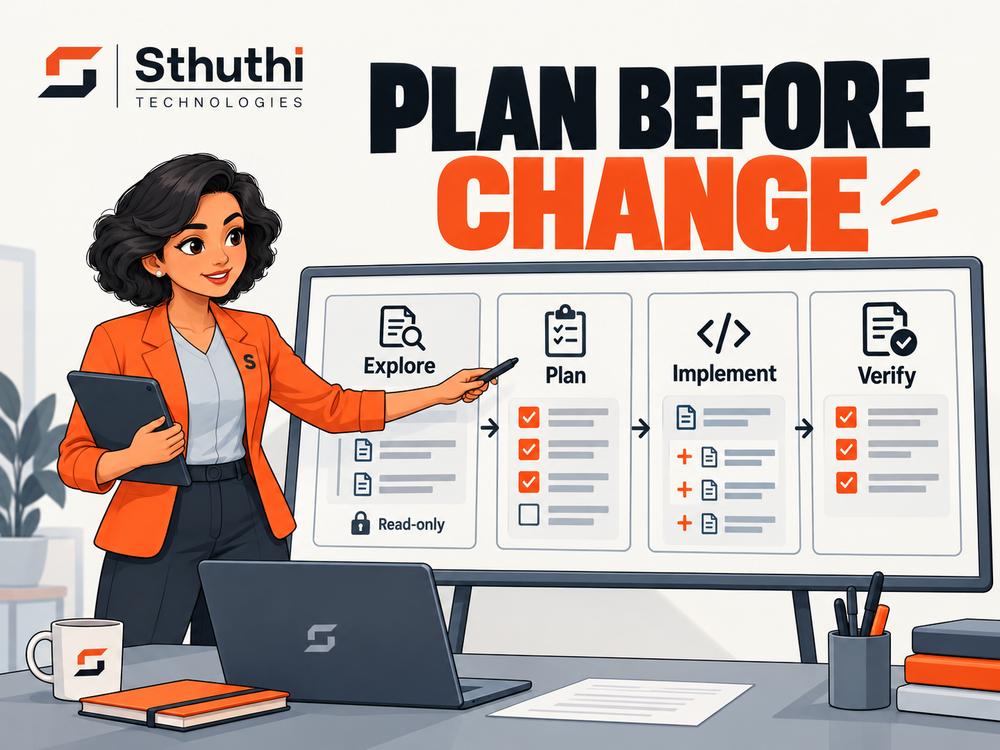
Anthropic recommends four phases: explore, plan, implement, commit. In plan mode Claude reads files and answers questions without editing anything, so you can check its understanding and edit the plan before code moves. Skip it for small, obvious changes: Anthropic's own rule of thumb is that if you can describe the diff in one sentence, you don't need a plan.
3. Give Claude a way to check its own work
"Claude stops when the work looks done," Anthropic's docs note. Without a test, a build or a script it can run, you become the verification loop. Ask it to run the check and iterate until it passes, and ask for evidence, such as the command it ran and the output, rather than a summary that says "tests pass". Watch for the opposite failure too: a change that makes tests pass by deleting or loosening them.
4. Keep project rules short, shared and in git
CLAUDE.md is read at the start of every session, so put in it what Claude can't work out from the code: build and test commands, style rules that differ from the defaults, repository conventions and known gotchas. Anthropic warns that a bloated file gets ignored, and suggests asking of every line whether removing it would cause mistakes. Check it into git so the whole team works from the same rules, and move occasional workflows into skills. If your repository already has an AGENTS.md for other tools, Claude Code can read it.
5. Set permissions before it runs unattended
Decide what the agent may touch before it runs on its own: which commands are allowed, which folders are off limits, and whether it can reach the network. Claude Code supports permission rules, OS-level sandboxing and, for organisations, managed settings that individual users can't override. For anything that must happen every time, use a hook rather than an instruction: Anthropic describes CLAUDE.md as advisory and hooks as deterministic.
6. Review the real diff for scope creep
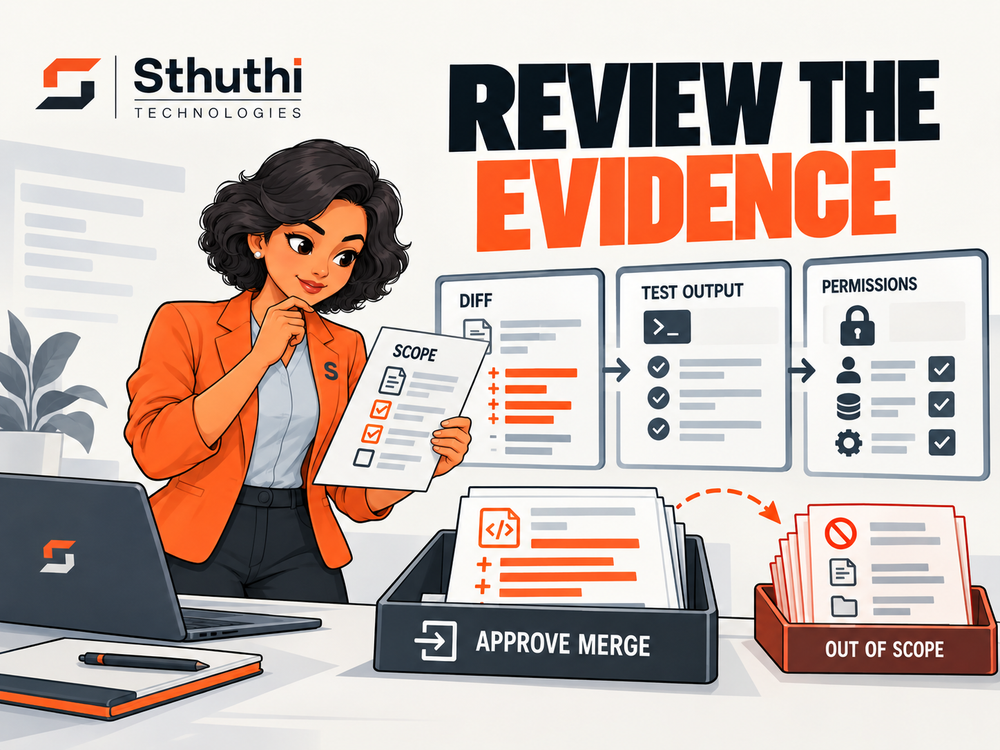
Agent-written diffs fail in recognisable ways: files changed that weren't part of the task, renames and reformatting that hide the real change, new dependencies nobody chose, and edits to configuration or CI. Review the actual diff, including changes made through shell commands, not the agent's summary of it. Our Claude Code review checklist turns this into ten checks you can paste into a pull request template.
7. Check the usual security failure modes
AI-generated code tends to fail security checks in the same places. Veracode's testing found cross-site scripting and log injection especially weak, and hardcoded secrets are a growing problem across all code. A reviewer who knows where to look catches most of it. See AI-generated code security risks for the data and what a review process needs to catch.
8. Manage context and course-correct early
Anthropic calls the context window "the most important resource to manage". Use /clear between unrelated tasks, stop and redirect as soon as the agent drifts, and if you've corrected it twice on the same thing, start a fresh session with a better prompt. Checkpoints let you rewind Claude's own edits, but Anthropic is clear they're not a replacement for git, because changes made through shell commands aren't captured.
9. Stay accountable for every change
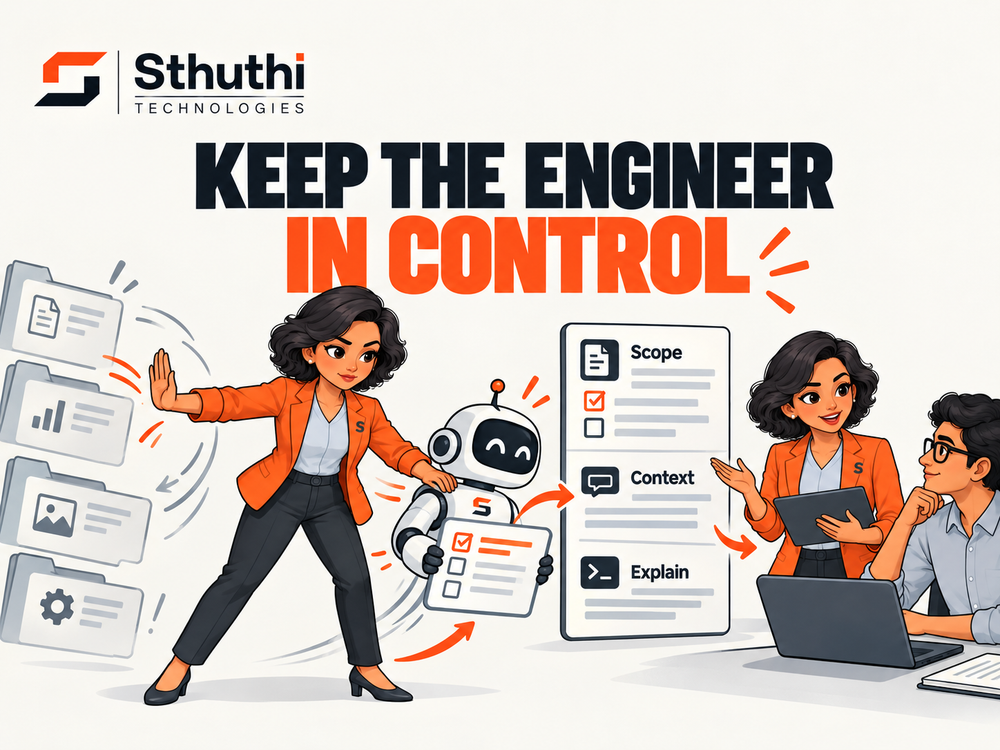
The final test is simple: can the engineer explain every line of the change without asking the agent? If not, it isn't ready to merge, however clean it looks. This is the habit our clients cared about most. Hemant Joshi, Founder and Chief Cloud and AI Architect at Agentic AI AMRO, put it this way:
"I liked that the certification treated the engineer as accountable for the outcome. That is exactly how these tools need to be adopted in serious technical environments."
Making these a team standard
Individually, these are habits. Across a team, they need to be shared rules, or every engineer ends up using Claude Code differently. David Burggraaf, Chief Technology Officer at Kenect, described what mattered when 129 of their engineers went through the programme:
"There was a strong emphasis on understanding the codebase first, planning before changing things, testing the output and keeping the engineer in control."
- Roll out in stages. Our 90-day rollout playbook starts with guardrails and a baseline, then a pilot, then an assessment checkpoint before you scale.
- Measure outcomes, not usage. See how to measure Claude Code impact.
- Know the cost of skipping it. Read the vibe coding tax for what loose habits cost later.
How we check these in an assessment
Reading best practices is easy. Applying them under time pressure is the skill. In our Claude Code certification, each engineer directs Claude Code through a scoped task in a live repository, then walks a human assessor through their review. The assessor checks the practices above: framing, scope, verification, permissions and whether the engineer can explain the result.
Sources: Claude Code best practices; CLAUDE.md and memory; Permission modes; Sandboxing. Client quotes published with written approval. Checked 9 October 2026.
Frequently asked questions
What are the Claude Code best practices for teams?
Frame the task clearly, explore and plan before editing, give Claude a check it can run, keep a short shared CLAUDE.md in git, set permissions before running unattended, review the real diff for scope creep, check common security failures, manage context, and stay accountable for every change.
Should I always use plan mode in Claude Code?
No. Anthropic recommends planning when the approach is uncertain or the change spans several files, and skipping it for small changes you could describe in one sentence.
What should go in CLAUDE.md?
Things Claude can't work out from the code: build and test commands, style rules that differ from defaults, repository conventions and known gotchas. Keep it short, because Anthropic warns that bloated files get ignored.
How do teams make Claude Code use consistent?
Shared project rules in git, one review standard for every agent-written diff, a staged rollout with a baseline, and an assessment of who applies the practices under real conditions.
Want your team's AI-tool usage actually checked?
See the published certification tracks, or tell us about the tool you're worried about.